
Treat the speed claim as a routing change
Adobe announced Object Mask and faster shape-mask tracking for Premiere on 20 January 2026. Its description is useful but narrow: a user can isolate a moving subject with a hover and click, then refine and track that selection. Adobe also says the resulting masks can support relighting, background blur, a localized grade, or custom effects. Those are materially different downstream uses. A soft edge that reads naturally under a brief blur can produce a conspicuous matte when it drives a grade, a replacement sky, or a VFX pull. The practical implication is not that automatic tracking is untrustworthy; it is that a production should classify the intended use before it accepts a track. The announcement is a vendor account of the feature, not a measured error rate or a promise that every shot will track correctly. [s1]
Put the review where the consequence appears
A compact review pass can be more useful than judging a track at normal speed once and moving on. First, view the mask over the original clip at the edit's delivery resolution; then view it against a deliberately hostile temporary background or grade. Check the frames where the subject crosses hair, smoke, reflections, motion blur, similarly coloured wardrobe, or another performer. Adobe's April update added Sharp and Smooth edge modes to Object Masking, while its January account introduced a frame-level editing mode intended to combine corrections with tracked keyframes. Those controls suggest a sensible division of labour: use the automated pass to find the broad contour, then make human corrections at the transitions where the composite would reveal itself. Write down why a correction was accepted when another editor will inherit the sequence. [s1] [s2]
Compare masks and generated inserts as separate editorial inputs
Adobe's September Premiere release describes its Generative Media tool as using reference frames sampled from the surrounding project to create context-aware video. That is a different editorial input from a tracked matte, even when both are used in the same sequence. Compare them separately: review the generated insert for its cut-in context and review the mask for its edge behaviour at the chosen effect or composite. Do not treat the source clip, a generated insert, and a tracked matte as one undifferentiated asset. Keep the untouched camera original; label the sequence version that contains the mask; and record the intended output, reviewer, and known edge failure. If a generation or composite is later rejected, the team can return to the original rather than guessing which visual assumption belonged to which editorial element. This is a review comparison, not a claim about Premiere's internal processing. [s2] [s3]
What this checklist cannot decide
Mask review cannot settle whether a generated or altered shot is appropriate for the film, whether it has the necessary performer or location permissions, or whether the result will survive every export path. It also cannot turn an Adobe feature description into independent evidence of accuracy, speed, or fitness for a particular job. For a small team, the useful minimum is a marked-up review frame at every difficult transition and a reversible sequence version. For a larger post workflow, add a named approver and a handoff note. The decision remains cinematic: does the edge preserve the performance, the light, and the audience's attention? Automation can make that question arrive sooner; it does not answer it. [s1] [s2] [s3]
A repeatable five-minute routine
Before marking the task complete, park on the first frame, the worst transition, and the final frame. Toggle the mask overlay, the intended effect, and a neutral reference view. If the shot cuts on motion, inspect the two frames before and after the cut; a satisfactory edge in a still may flash during the transition. Capture only the frames that justify a revision, then leave the note in the sequence rather than in a private chat. That small record lets a colorist or compositor distinguish deliberate softening from an accidental failure. It also makes it possible to revisit a decision when the same material is reframed for another aspect ratio or delivery. The routine is deliberately tool-agnostic; the cited features explain why fast masking makes it timely in 2026. [s1] [s2] [s3]
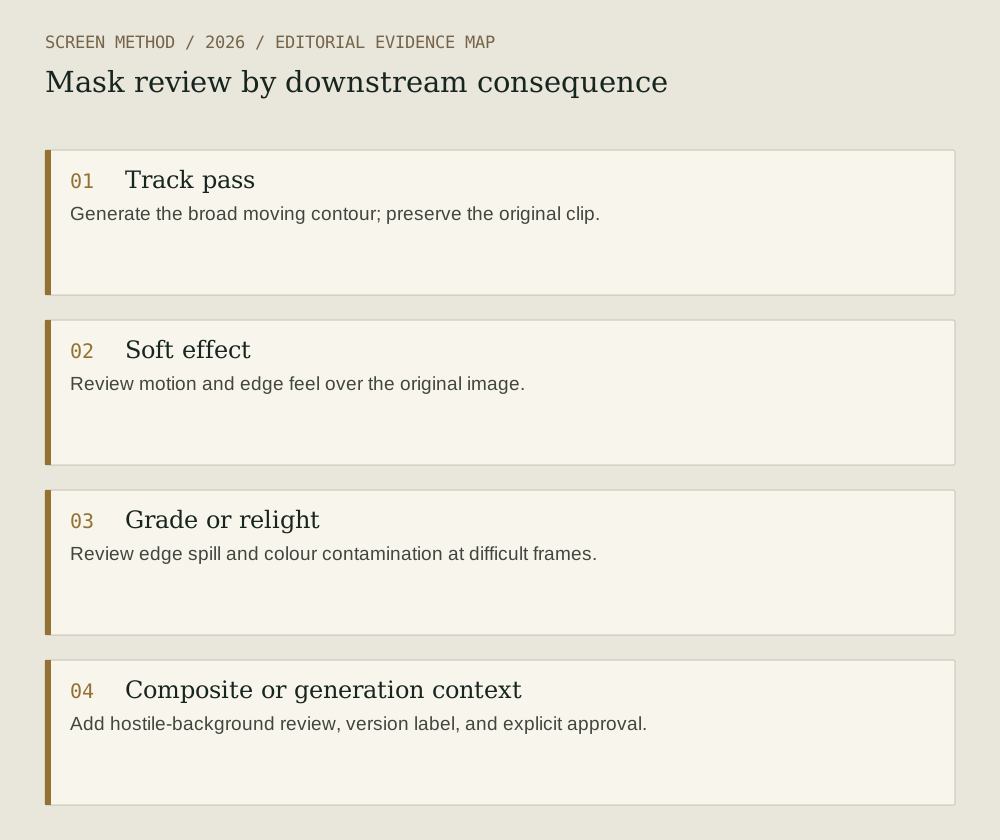
Diagram provenance
Original Screen Method editorial diagram, prepared 2026-09-19 from the cited evidence. This is an explanatory synthesis, not a product interface, documentary image or test result. No third-party artwork copied; no external image permission required for this drawing.
- Track pass Generate the broad moving contour; preserve the original clip.
- Soft effect Review motion and edge feel over the original image.
- Grade or relight Review edge spill and colour contamination at difficult frames.
- Composite or generation context Add hostile-background review, version label, and explicit approval.
Sources & limits
Editorial synthesis of Adobe's product documentation. No hands-on test, accuracy benchmark, rights review, or claim about feature availability beyond the cited pages.
- Adobe — New AI-powered video editing tools in Premiere, plus major motion design upgrades in After Effects
Source date: 2026-01-20. Retrieved 2026-09-19. Adobe's description of Object Mask, frame-level track editing, mask uses, and Firefly Boards import.
- Adobe — Adobe extends leadership in video: unleashing new AI-powered creation in Firefly, reinventing color for editors in Premiere
Source date: 2026-04-15. Retrieved 2026-09-19. Premiere 26.2's Object Masking edge modes and related workflow changes.
- Adobe — Generate and create directly in your timeline with new AI-powered innovations in Premiere and After Effects
Source date: 2026-09-08. Retrieved 2026-09-19. Adobe's description of timeline generation using project reference frames.
Preparation: 2026-09-19. Site publication: not yet published. Source dates are not publication dates for this article.