
Retrieval and selection are different acts
Adobe’s April 2025 release described Media Intelligence and a Search panel that could recognize clip content—including objects, locations, camera angles, spoken words and embedded metadata—so an editor could search material in one place. Adobe also said the analysis happens on the user’s system. Those are retrieval claims: a system can surface candidates. They are not editorial claims that the returned shot has the right performance, focus, take quality, legal status, story value or continuity. The difference matters most on a documentary, multicamera interview or long scripted shoot, where the phrase ‘close-up of hands’ can return many technically relevant clips but only one may contain the hand action, timing and emotional beat the scene needs. [s1][s2][s3] [s1] [s2] [s3]
Treat every query as an audition request, not a verdict. Write a select-log row with query, project/bin scope, returned clip, timecode in and out, what it visibly contains, what it means in the scene, risks, and editor’s disposition. For a cooking sequence, search ‘hands plating cacao’; then note whether the returned frame includes the correct dish, talent, continuity state and sound. Mark ‘candidate’ until it has been watched at speed and against adjacent shots. A useful workflow has two passes: broad semantic search to recover overlooked material, then a conventional editorial pass that makes subclips, markers and notes. If analysis is still running or assets were imported later, record that coverage state rather than pretending the search was exhaustive. The selects log remains intelligible if a project is handed to another editor or reopened after an update. [s1][s2] [s1] [s2]
There are privacy and production boundaries too. Media Intelligence’s stated local analysis does not erase a production’s data policy, access controls or duty to protect unreleased footage. Search result labels should not become a substitute for filenames, camera reports, release records or human descriptions when those records are required. Adobe’s 2025 product materials do not prove recall accuracy for a particular footage library, and Screen Method has not tested it. We make no current compatibility, performance or price claim. This retrospective practical guide takes the feature’s documented retrieval role seriously while keeping the edit’s central responsibility visible: a select is chosen because an editor watched it, understood its context and can explain its place in the sequence—not because a search box found it first. [s1] [s2] [s3]
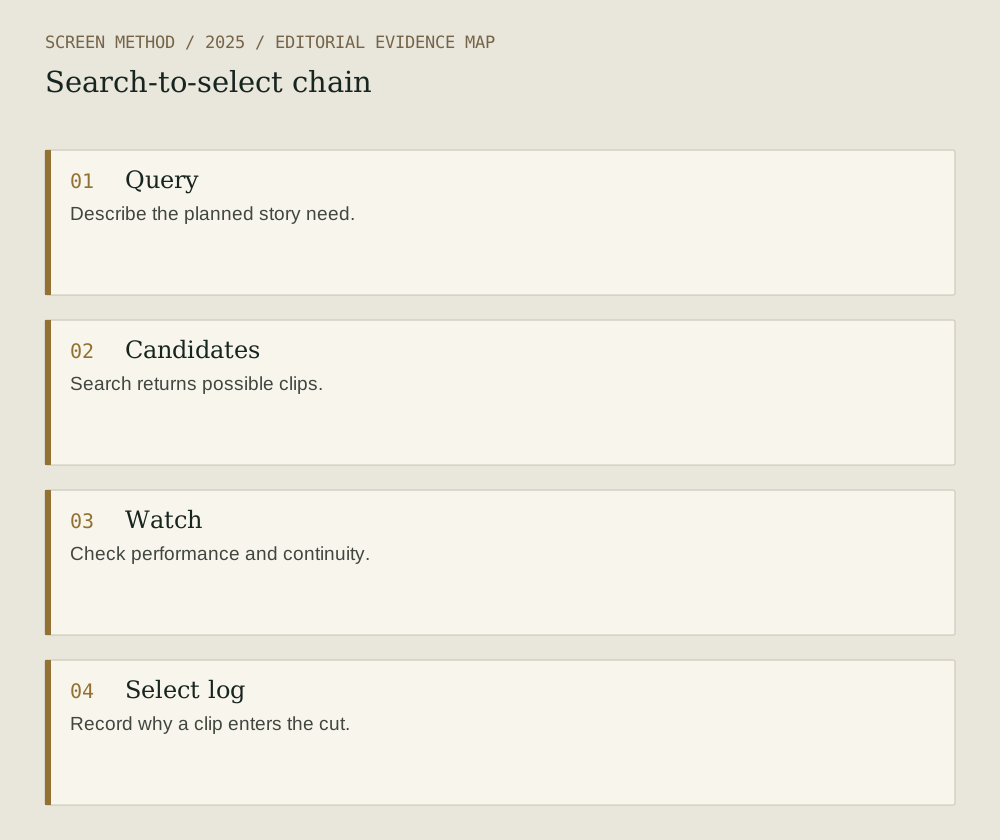
Diagram provenance
Original Screen Method editorial diagram, prepared 2026-09-19 from the cited evidence. This is an explanatory synthesis, not a product interface, documentary image or test result. No third-party artwork copied; no external image permission required for this drawing.
- Query Describe the planned story need.
- Candidates Search returns possible clips.
- Watch Check performance and continuity.
- Select log Record why a clip enters the cut.
Sources & limits
Provider documentation only; no accuracy test or data-policy conclusion.
- Adobe — Introducing new AI-powered features and workflow enhancements in Premiere Pro and After Effects 25.2
Source date: 2025-04-02. Retrieved 2026-09-19. Feature description and local-analysis statement.
- Adobe — New AI Innovation in Industry-Leading Adobe Premiere Pro
Source date: 2025-04-02. Retrieved 2026-09-19. Release record and searchable fields.
- Adobe — Visual search analysis in Media Encoder
Source date: 2025-04-01. Retrieved 2026-09-19. Official community documentation on sidecar analysis.
Preparation: 2026-09-19. Site publication: not yet published. Source dates are not publication dates for this article.