
Read the release as a clip specification
Luma introduced Ray2 on 15 January 2025 as a video model and described a new multimodal architecture, text understanding and more coherent motion. Its own support material is more operationally useful than the launch superlatives: a base result can be five or ten seconds, extension is capped at 30 seconds, and Luma warns that quality may worsen through repeated extension. That is a production constraint, not a verdict on the image. It means the first question is not “can this make my scene?” but “which exact beat can survive as one cut?” A reaction before a reveal, a two-second bridge across an edit, or a distant establishing motion is a bounded editorial job. Build the request around that job: lens height, screen direction, start composition, movement, end composition, and the cut it must meet. Luma also lists text, image and video inputs and later support documentation describes keyframes, loop and extend. Those are controls, not evidence that a particular character, prop or physical action will remain reliable across a sequence. [s1][s2][s3] [s1] [s2] [s3]
A useful editorial synthesis is to make a coverage card before generation. On it, write the outgoing frame, the incoming frame, the action that crosses the cut, the side of frame each actor occupies, the duration the edit can actually absorb, and a discard condition. For example: ‘Two-second insert of a hand closing a red case; hand enters from camera left; no face; hard cut from a medium shot at the moment fingers touch latch; reject if latch shape, sleeve color, direction, or shadow changes.’ This does not test Ray2. It prevents an attractive but incompatible clip from becoming a late-stage problem. Generate alternates for the same card, select one in the NLE, and preserve the input, prompt, model/version label shown by the service, date, and export. If a clip needs a second generated clip to explain its geography, return to the storyboard rather than extending by habit. The release’s ‘logical event sequences’ language is a provider claim; Screen Method has not independently benchmarked it. [s1][s2] [s1] [s2]
The final gate belongs in a cut with production sound or a scratch track, not on a gallery page. Watch three times: first for story information, second without sound for eyeline, scale, direction and object continuity, third for motion cadence and the frame where the edit lands. Make a still strip of first frame, action peak and last frame beside the neighboring live-action or animated shots. A result can be visually impressive and still fail because it changes the decisive object between frames, moves against the established axis, or has no clean entrance and exit. Keep ‘usable in this cut’ separate from ‘good generation.’ Do not infer clearance, ownership, performer permission, delivery quality, cost, or present availability from Luma’s announcement. Ray2’s published limits and feature descriptions were the evidence reviewed; actual behavior depends on inputs, account access and later product changes. This is a retrospective method based on 2025 documentation, not a hands-on review or a recommendation to replace coverage, reshoots, editorial judgement or rights review. [s1] [s2] [s3]
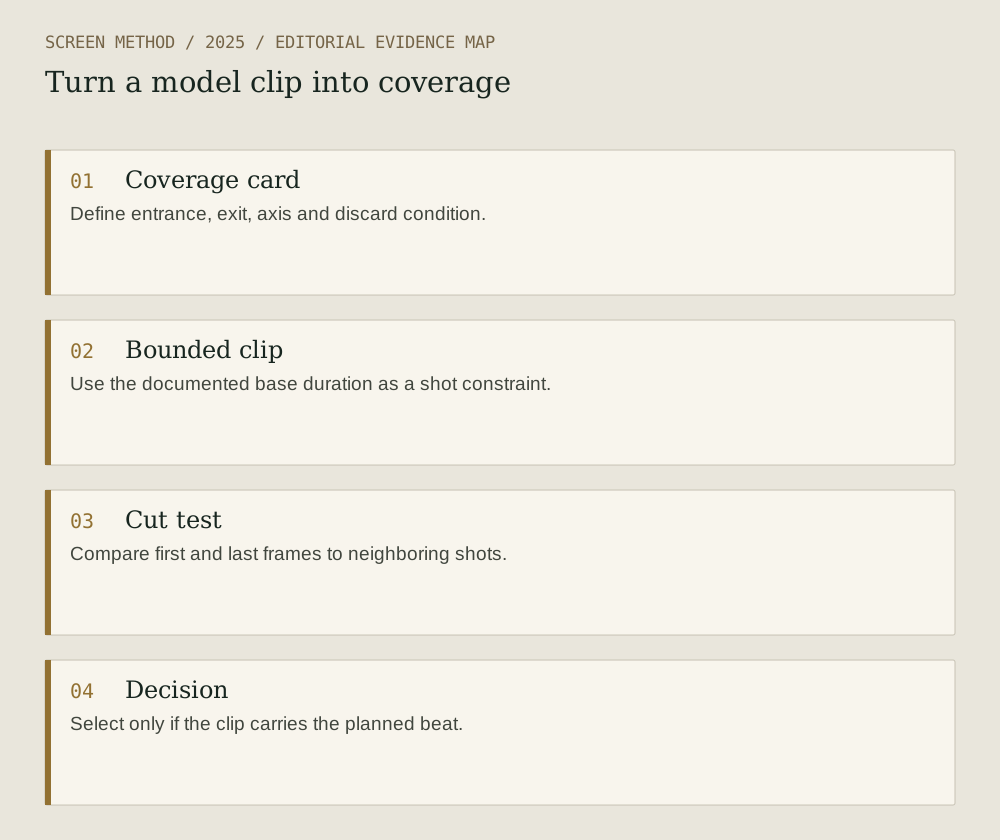
Diagram provenance
Original Screen Method editorial diagram, prepared 2026-09-19 from the cited evidence. This is an explanatory synthesis, not a product interface, documentary image or test result. No third-party artwork copied; no external image permission required for this drawing.
- Coverage card Define entrance, exit, axis and discard condition.
- Bounded clip Use the documented base duration as a shot constraint.
- Cut test Compare first and last frames to neighboring shots.
- Decision Select only if the clip carries the planned beat.
Sources & limits
Provider documentation only; no independent test, rights analysis, pricing claim or current-access claim.
- Luma — Introducing Ray2
Source date: 2025-01-15. Retrieved 2026-09-19. Release date and provider-described model scope.
- Luma — Ray2 FAQ
Source date: 2025-01-28. Retrieved 2026-09-19. Published durations, extension warning and listed controls.
- Luma — Generate Videos with Ray2
Source date: 2025-01-28. Retrieved 2026-09-19. Provider workflow documentation.
Preparation: 2026-09-19. Site publication: not yet published. Source dates are not publication dates for this article.