
Image provenance & permission
owner-review-pending
Source checked 19 September 2026. Web-sized from the original; no generated replacement. Original source page reviewed. Obtain permission, license or replacement before public release.
Creator / publisher: Blackmagic Design. Local review only unless separately cleared for release.
The shot
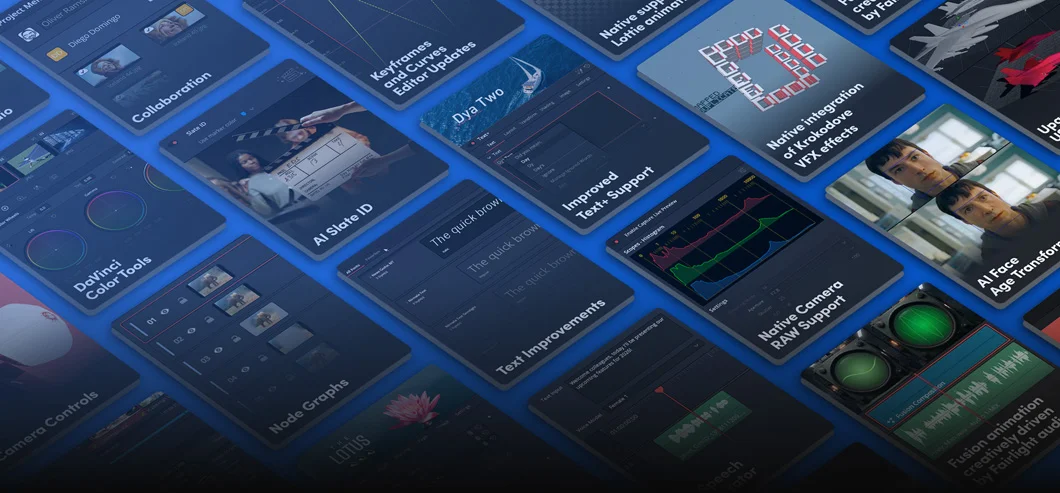
DaVinci Resolve is Blackmagic Design's combined editing, color, visual-effects, and audio-finishing application, and its own product pages, retrieved 16 September 2026, describe a cluster of AI-labeled tools sitting inside that single timeline rather than as separate plug-ins. Among them: IntelliScript, which the company's what's-new page describes as comparing an imported screenplay to a project's transcribed audio to assemble a rough cut; IntelliSearch, a content-search tool; and Magic Mask, an object-isolation tool among the application's Studio-tier features. None of these are pitched as replacing the assembly, color, or sound decisions an editor or colorist makes; they are ways to reach a first pass faster.
What the documents show
Blackmagic's documentation is specific about mechanism, not just outcome. IntelliScript, the page states, compares the script text to the transcribed audio and creates a cut of the scene, after which the editor can fine tune the result using standard editing tools, framing it as a starting assembly rather than a finished edit. IntelliSearch is described as letting an editor find specific objects or key words in dialog and even search for individual faces, with matches returned as whole clips. Separately, the main product page attributes facial recognition, object detection, smart reframing, and speed warp retiming to a DaVinci AI Neural Engine, and lists AI effects like Voice Isolation and Music Remixer inside Fairlight, plus IntelliTrack, which uses video to drive the audio panner. These are the vendor's own descriptions, not independently measured accuracy claims.
The workflow
An editor with a near-locked screenplay imports it in Final Draft or plain-text format; IntelliScript matches its lines against transcribed production audio and lays out a scene-by-scene assembly, which the editor then trims and refines by hand. An editor searching a large media pool can instead type a name, object, or remembered line of dialogue into IntelliSearch and get back matching clips rather than scrubbing footage manually. A compositor isolating a moving subject can start with Magic Mask instead of drawing a garbage matte, then refine it. A sound editor can reach for Voice Isolation or Music Remixer before manual EQ.
What the tool does not change
Blackmagic's pages describe these as tools producing a starting point, not a finished deliverable: IntelliScript's assembly is followed by standard editing tools to fine-tune it, and Magic Mask sits among traditional roto and keying tools on the Fusion page rather than replacing them. Search still needs a human to judge whether a returned clip is the right take, and a script-matched assembly still needs an editor to choose pacing and which lines survive.
- Does an IntelliScript assembly need re-verification against picture, not just the audio transcript?
- How does IntelliSearch's face-matching behave with lookalike extras or crowd scenes?
- Which of these AI tools require the paid Studio tier rather than the free edition?
Blackmagic documents these as time-saving first passes bundled into an editor's existing timeline, described in the company's own language rather than independently tested. Reading what each tool is said to output, a rough cut, a search result, a starting mask, is the more durable takeaway than the word AI attached to any of them.
Sources & reading trail
Blackmagic's own description of IntelliScript comparing script text to transcribed audio to assemble a cut, and of AI IntelliSearch for finding people, objects, and dialogue keywords.
Source published: Not established · Retrieved: 16 September 2026
Blackmagic's own description of the DaVinci AI Neural Engine, Magic Mask, and Fairlight's Voice Isolation and Music Remixer AI effects.
Source published: Not established · Retrieved: 16 September 2026
Documentation, agreements and rulings establish the note; the workflow reading is Screen Method editorial analysis. This retrospective draft does not imply the site published on the event date.