
A panel, not a separate approval process
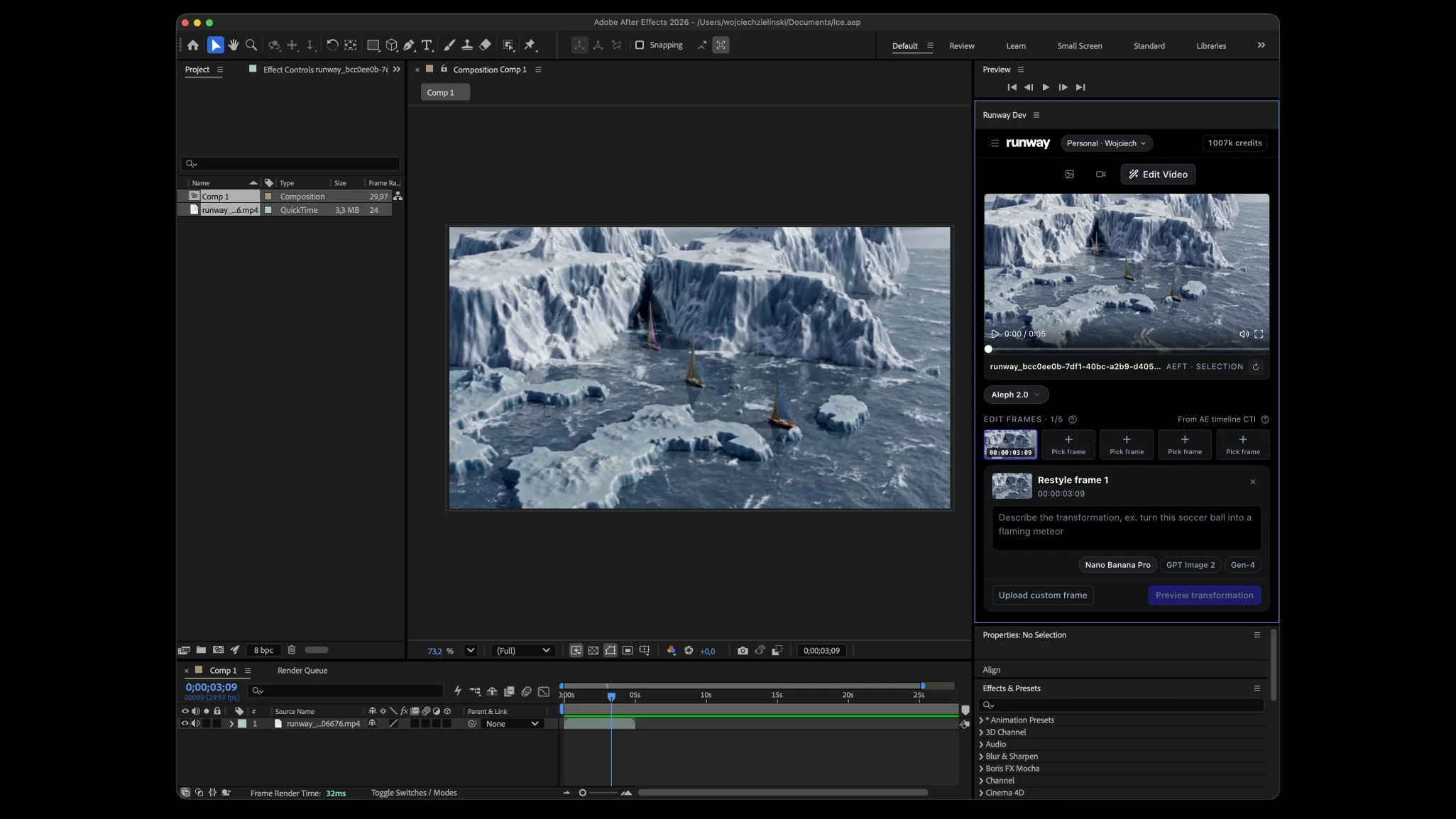
Runway’s changelog dates the release of its Adobe plugins to 8 September 2026. The company describes a panel inside Premiere Pro and After Effects for generating and editing imagery. Its plugin page says results can be placed into the timeline and that generation uses the account’s credits. The installer being free does not mean the generation work is free.
The integration is worth watching because the editor can judge a proposed shot near its intended neighbours. That is a different task from admiring a standalone output. Screen Method has not installed or benchmarked the plugin; the description here comes from Runway’s own release and product material.
Editorial method: preserve the before-and-after
Make a duplicate of the working sequence before a generated replacement enters it. Give the source clip and proposed replacement distinct names, and retain enough surrounding footage to understand the cut. A version that looks convincing alone may still change the apparent distance between two characters or introduce a camera movement the following shot cannot continue.
Use a short acceptance note rather than a general instruction to improve the image. State what may change and what may not: background atmosphere can move, but the hand position and eyeline must remain legible; an extension can buy time, but it must not invent a new dramatic action. These are suggested review constraints, not claims about controls the plugin necessarily exposes.
Keep the generated result on a clearly labelled track or in a candidate bin until it has passed review. The convenience of placing a clip at the playhead should not decide which version becomes the master. An assistant editor should be able to reopen the project and identify the original, the candidate and the approved choice without reconstructing a conversation.
Review the cut, then the delivery
Watch the incoming cut, the full replacement and the outgoing cut at normal speed. Then inspect problematic frames for object changes, edges, texture and temporal stability. Listen separately for an audio transition that no longer belongs to the image. A useful review record names the failure and the next action rather than accumulating unranked alternatives.
Finally, test the actual handoff needed by the finishing team: file format, duration, frame rate, colour expectations and where the media will live after the project moves. An integrated panel can shorten navigation between applications. It cannot settle authorship, client approval or the aesthetic purpose of a shot on the team’s behalf.
Sources & limits
- Runway · Product Updates & Changelog — 8 September 2026 · 8 Sept 2026
Dated Adobe plugin release. Checked 19 Sept 2026.
- Runway · Runway Plugins
Adobe panel workflow, timeline placement and account-credit requirements. Checked 19 Sept 2026.
First-party product description; no hands-on test, time-saving measurement, rights clearance or endorsement. Product availability and requirements can change.
Event: 8 Sept 2026. Source publication: 8 Sept 2026. Prepared and checked 19 Sept 2026 for this local review; not publicly published by this edition. This is a dated article, not a live status or monitoring service.