
Call the first assembly a proposal
Adobe described Quick Cut on 25 February as a Firefly feature that turns raw clips into a structured first cut. That is a useful description of a starting point, not a description of an edit's meaning. A structured order can make tempo, coverage gaps, and alternate entrances visible quickly. It can also make a contingent arrangement feel deceptively settled because it arrives with the visual authority of a timeline. The workflow move is simple: title the first export a proposal and attach one question to it. Is the team testing scene order, music energy, coverage sufficiency, or a client-facing concept? Without that question, notes tend to confuse editorial judgment with the pressure to react to a finished-looking sequence. This guide is an editorial synthesis; it does not claim to test Quick Cut or any other automatic assembly tool. [s1]
Make three decisions before you refine
Use a decision gate between assembly and refinement. First, identify the narrative spine: name the action or change the viewer should understand by the end of the cut. Second, identify the evidence for that spine: which clips are indispensable performances or factual moments, and which are placeholders that merely preserve timing? Third, set the cut's status: exploration, internal review, or delivery candidate. Adobe's April announcement for Firefly AI Assistant repeatedly frames the system as executing multi-step workflows while the creator directs, can intervene, and retains editable native files. Take that at face value as a design claim and make the intervention visible: leave an edit note where the team's decision diverges from the automatic proposal. A decision gate is not bureaucracy; it protects a useful experiment from becoming an unexamined script. [s2]
Review rhythm without treating it as coverage
A practical review can take ten minutes. Watch once with sound off and mark every place where the viewer needs information the images do not supply. Watch again for performance: identify the moment a glance, pause, or action establishes the beat, then check whether the assembly has cut away from it. Finally, check provenance and permissions for any generated, transformed, or stock placeholder before it travels into a client or public review. Adobe's June update says its creative studio is intended to preserve context, reusable assets, and organized workflows across iterations; that makes a local editorial record more valuable, not less. Context that persists invisibly can be useful, but the human rationale for an edit should persist in a form another collaborator can read. [s3]
The gate does not certify the cut
No checklist proves that an automatic assembly is balanced, legally cleared, or ready for an audience. It cannot infer the director's intent, assess an actor's best take, or replace a sound and picture finish. It also should not be used to imply that Adobe's feature will select shots well for every genre or footage type. Its value is humbler: it makes the team declare what the first cut is for and what it is not yet allowed to decide. If the cut remains an experiment, preserve alternatives. If it becomes a direction, document the authorizing conversation and begin ordinary editorial review. Speed is valuable when it creates more deliberate choices, not when it hides the first consequential one. [s1] [s2] [s3]
Use one beat as a working example
Imagine a dialogue scene assembled around a line reading that seems efficient but removes the reaction that tells the viewer why the line matters. The proposal has found usable order, yet it has not selected the dramatic evidence. Mark the reaction as required coverage, place the alternative beside it, and ask whether the scene's question changes when the reaction remains. If a generated bridge or music placeholder has supplied momentum, identify it as a timing device rather than evidence that the scene is solved. This example is intentionally modest: it gives an editor a way to test what the new assembly has actually revealed. The cited product material supports rapid assembly and context retention; the evaluation remains a human editorial task. [s1] [s2] [s3]
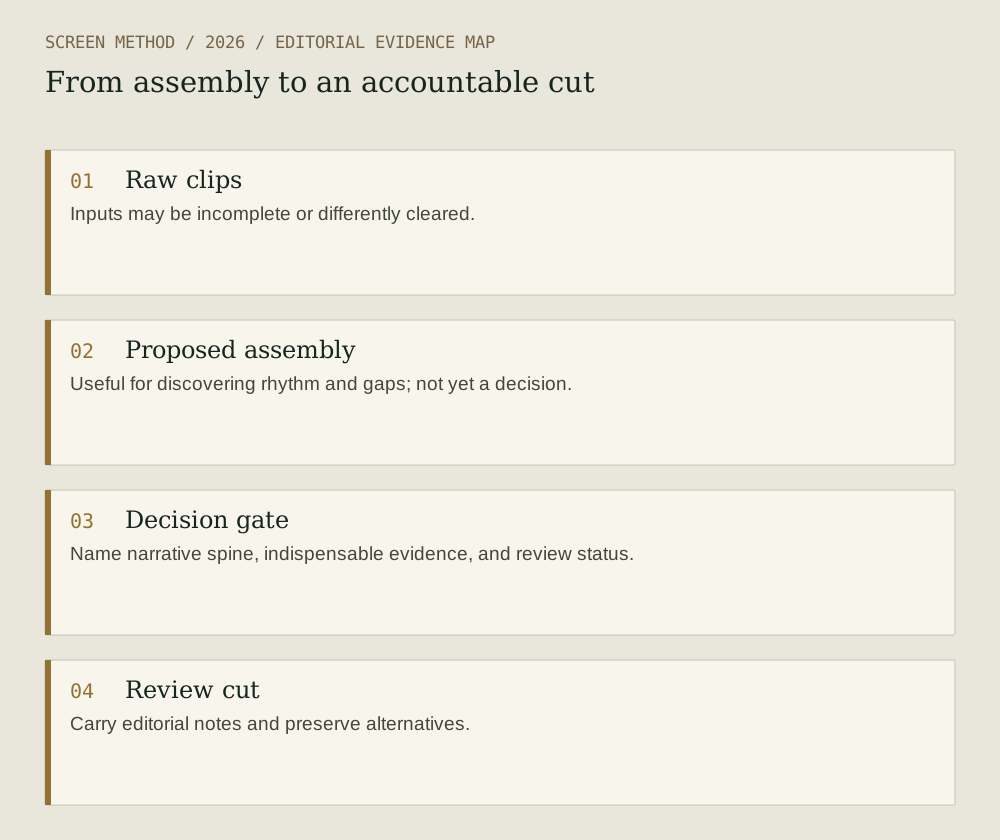
Diagram provenance
Original Screen Method editorial diagram, prepared 2026-09-19 from the cited evidence. This is an explanatory synthesis, not a product interface, documentary image or test result. No third-party artwork copied; no external image permission required for this drawing.
- Raw clips Inputs may be incomplete or differently cleared.
- Proposed assembly Useful for discovering rhythm and gaps; not yet a decision.
- Decision gate Name narrative spine, indispensable evidence, and review status.
- Review cut Carry editorial notes and preserve alternatives.
Sources & limits
Editorial workflow guidance based on first-party product descriptions. It does not test Quick Cut, validate output quality, or replace editorial, legal, or clearance review.
- Adobe — Putting ideas in motion: redefining AI video with Adobe Firefly
Source date: 2026-02-25. Retrieved 2026-09-19. Adobe's description of Quick Cut as a structured first-cut feature.
- Adobe — Introducing Firefly AI Assistant – a new way to create with our creative agent
Source date: 2026-04-15. Retrieved 2026-09-19. Adobe's stated creator-control, editability, and intervention framing for multi-step workflows.
- Adobe — Adobe Firefly introduces new agentic capabilities and an upgraded creative AI studio built for the way you work
Source date: 2026-06-18. Retrieved 2026-09-19. The announced use of persistent context, assets, and project organization across iterations.
Preparation: 2026-09-19. Site publication: not yet published. Source dates are not publication dates for this article.